

Android download
Download Master Teen Patti APK
File details, installation checks and practical help, all in one place. The download button opens a routing page with an automatic attempt and a manual retry.
 Know your fileCompare before installing
App information
The linked file was downloaded and its byte size and SHA-256 checked on 13 October 2026. A matching checksum means the bytes match this inspection record. It does not establish publisher ownership, malware safety or product behaviour. The upstream host may change the file at the same URL.
| Version | 1.0 (version code 1) |
|---|---|
| Size | 58.1 MB · 58,114,094 bytes |
| Minimum Android | Android 5.0 · API 21 |
| Inspection date | 13 October 2026 (not a release date) |
| SHA-256 | 4ac91885944f1548d6754aa342cc7ffa5fea197bd3dfb9119e0ba76f56d7872e |
| Package | com.teenpattivorqexa.qyndrelion |
| Developer / publisher | Not verified from file inspection |

Inside the guide
Six concept illustrations. These are not screenshots or confirmation of APK features.
Before you install
- Source. Check the destination and publisher before opening any externally hosted APK. Avoid files shared by unverified accounts.
- File identity. Compare the checksum and exact byte count with the record above. A mismatch requires a new verification, not an assumption that it is harmless.
- Compatibility. The inspected manifest declares Android 5.0 or newer. Ensure enough storage for the file and installation; device-specific behaviour has not been tested.
- Permissions. Review each prompt. Keep Play Protect enabled and stop if Android warns that an app is harmful. Do not share OTPs or payment PINs.
How to install on Android
- 1
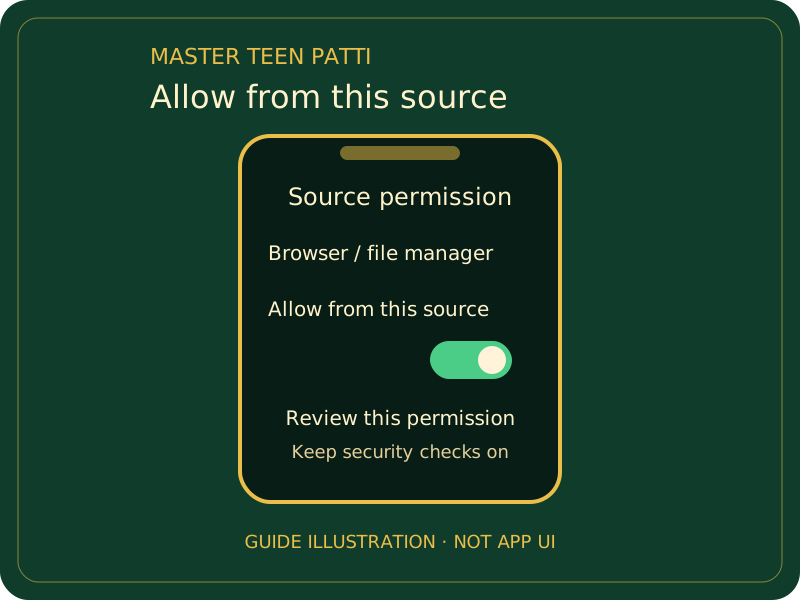
Allow installs from your browser
After checking the source and file, open the APK. If Android asks for a source-specific permission, review it and allow it only for the browser you used.
- 2
Install
Return to the APK and tap Install if the verified source and permissions are acceptable. Keep Play Protect enabled; stop if it identifies harmful behaviour instead of bypassing the warning.
- 3
Open and log in
Open the app and follow its displayed registration or login steps. Review permissions and account recovery. Turn off the browser’s install permission after installation.
What's new
- File record checked
The download target was replaced with the selected 266-0813 file, and its size and SHA-256 were checked. This is an inspection event, not a new release or an app changelog. Publisher release notes have not been provided.
Install problems
“App not installed” error
Check the full error message, download completeness, available storage and Android version. A signing mismatch can prevent an update. Do not uninstall before confirming account and data recovery.
Play Protect blocked installation
Keep Play Protect enabled. Review the warning and stop if it identifies harmful behaviour. A matching checksum is not a reason to ignore a security warning.
“Problem parsing the package”
A damaged or incomplete file or unsupported Android version can cause this. Check the byte size and retry from the selected source on a stable connection.
The download does not start
Open the download routing page and use its manual button. Check your browser’s download manager and network. A download request is not proof the file was saved.